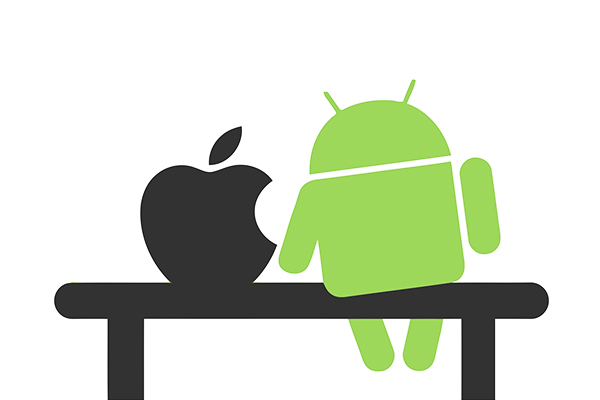
Android
Open, configurable,
occasionally messy.
iOS
Consistent, polished,
harder to bend.
Built to let you replace almost any default and reshape the screen itself.
Built to make every phone behave the same way, on purpose.
Android vs iOS 鈥� a functionality comparison
Both platforms can do email, photos, and video calls. The real differences show up in the details: how much you're allowed to change, how the two systems handle notifications and multitasking, and how tightly each one controls what apps are permitted to do. Here's where they actually diverge.
Customize almost anything
Replace the default launcher, browser, keyboard, or messaging app entirely. Home screens hold live widgets, icon packs, and multiple layout grids per screen.
Customize within limits
Widgets, a Lock Screen editor, and app icon tinting exist, but the core layout 鈥� a grid of app icons 鈥� and system apps like Phone and Messages can't be swapped out.
Home screen & defaults
Grouped, expandable, dismissible
Notifications bundle by app or conversation, expand inline for quick replies, and can be snoozed, silenced, or routed to specific priority levels per app.
Stacked, scored by relevance
Notification Summary uses on-device ranking to hold lower-priority alerts for a scheduled digest, while time-sensitive ones still interrupt immediately.
Notifications
Split screen & saved app pairs
Two apps run side by side in resizable panes, and a saved pairing can be launched together from one tap in recent apps.
Split View & Stage Manager (iPad)
Multitasking is strongest on iPad, with resizable windows and Stage Manager; on iPhone it's limited to Picture-in-Picture for video, not general split screen.
Multitasking
Sideloading is allowed
Apps can be installed from outside the Play Store, and alternative app stores are permitted, though Play Protect scans for known malware either way.
App Store only, mostly
Apps must go through Apple's review to reach an iPhone in most regions; alternative marketplaces are permitted in the EU under recent regulation, elsewhere they aren't.
App distribution
Privacy dashboard with a timeline
A running log shows exactly when each app used the camera, mic, or location over the past 24 hours or 7 days, with one-tap revoke from the same screen.
App Privacy Report
A similar report exists but is opt-in and tucked in Settings rather than surfaced by default; App Tracking Transparency additionally forces apps to ask before tracking across other apps.
Privacy controls
Assistant reads the screen
Google Assistant (and Gemini on newer devices) can act on whatever's currently on screen 鈥� summarizing a page or pulling details from an app 鈥� without switching context.
Siri, plus on-device Apple Intelligence
Siri handles voice commands and system actions; on supported devices, Apple Intelligence adds on-device writing tools and notification summaries, with ChatGPT available for harder queries.
Built-in assistant
Cross-brand, less seamless
Works across phones, tablets, and watches from different manufacturers; continuity features like copy-paste across devices exist but vary by brand and skin.
Single-brand, tightly integrated
Handoff, Universal Clipboard, and AirDrop work near-instantly between Apple devices, but only between Apple devices 鈥� there's no equivalent bridge to other ecosystems.
Cross-device continuity
Update timing varies by manufacturer
Google's own Pixel phones get updates immediately; other brands add their own testing and skinning, which can delay the same OS version by weeks or months.
Same update, same day, every device
Because Apple controls both hardware and software, every eligible iPhone gets the new iOS version simultaneously, with no manufacturer layer in between.
Software updates
Bottom line
Neither system is more "functional" in the abstract 鈥� they optimize for different things. What matters is which trade-off fits how you actually use a phone.
Android tends to fit you ifYou want to change defaults, use widgets heavily, install apps outside a single store, or use devices from more than one brand.
iOS tends to fit you ifYou want every device to behave predictably, you're already inside the Apple ecosystem, and you'd rather not configure anything to get a consistent result.
Most day-to-day tasks 鈥� messaging, photos, browsing 鈥� work fine on either. The differences above are where the platforms genuinely diverge, not marketing distinctions.